Is your PC okay?
OkayPC looks over your Windows PC and tells you in plain words what’s fine and what’s worth a look. It won’t scare you, and it won’t invent problems to sell you a fix.

Free, and it comes from Microsoft whichever button you press. $19 once if you’d like OkayPC to fix things for you, on 2 PCs. For Windows 10 and 11.
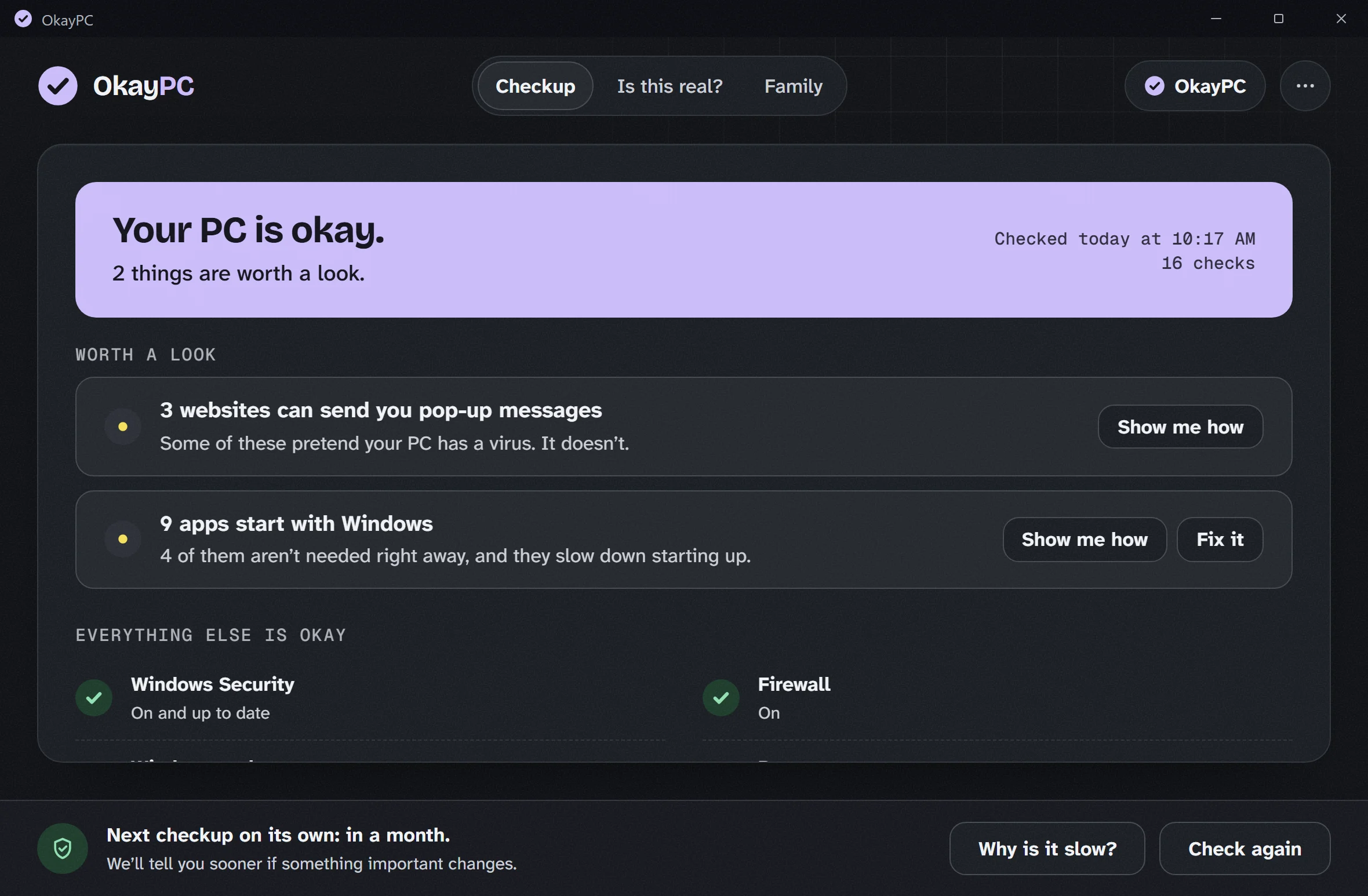
Most PC cleaners count up problems to scare you.
Big red numbers sell upgrades, so that is what many cleaner apps show. OkayPC only tells you about real things, in calm words, and always shows you how to fix them yourself for free.
1,284 PROBLEMS FOUND
Most of those “problems” are harmless leftover files. Fixing them costs money.
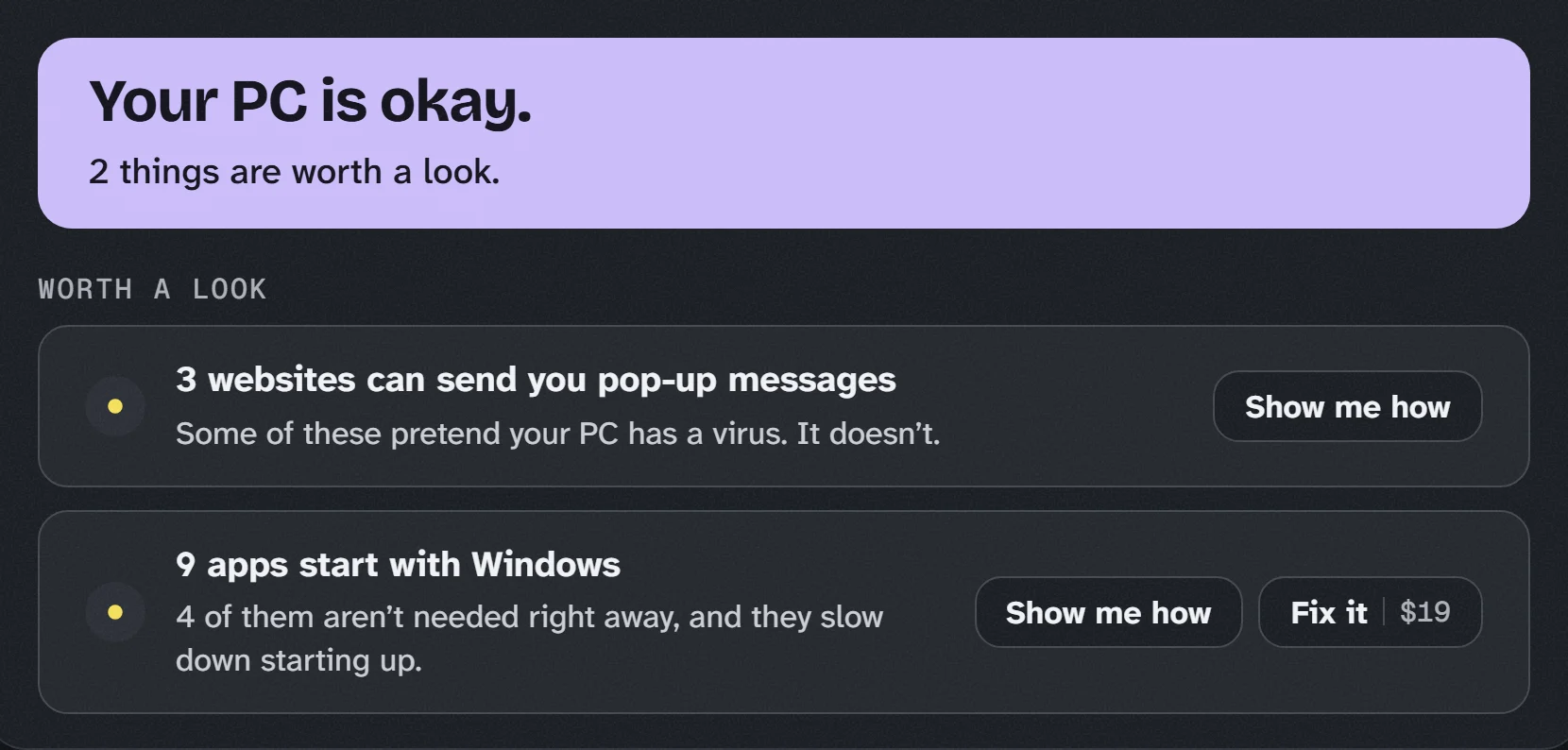
Show me how is always free. Every finding comes with the steps to fix it yourself. Fix it is there if you’d rather OkayPC did it.
What it checks
Up to 17 checks, depending on your PC, each one explained in a sentence. No registry cleaning and no “memory boost”.
Safety
- Windows Security and the firewall are on
- Windows updates are working
- Remote access apps you may not have put there, and whether one is open right now
- A laptop that signs in by itself
Your browser
- Websites allowed to send you pop-ups
- Shady or unused extensions
- A homepage or search engine that changed on its own
Health
- A drive that is starting to wear out
- Disk space running low
- A printer that’s stuck, paused or offline
- Devices Windows says aren’t working
- How much charge your battery still holds
Startup
- Everything that starts with Windows, each explained in one sentence
- Turn off the ones you don’t need
- Why is my PC slow? What it’s doing right now, in plain words
Fix or replace?
- Whether the parts inside are worth replacing
- Like “a new $40 drive would make this PC feel new”
- Or when a PC is simply old, and what that means
Still on Windows 10?
- Whether your PC still gets security updates
- Whether it can move to Windows 11, in Windows’ own words
- What to do next
See what yours says. Download free
“Is this real?”
You’re reading the news when the whole screen turns into a warning: your PC is infected, call Microsoft now. A voice reads it out. The page won’t close.
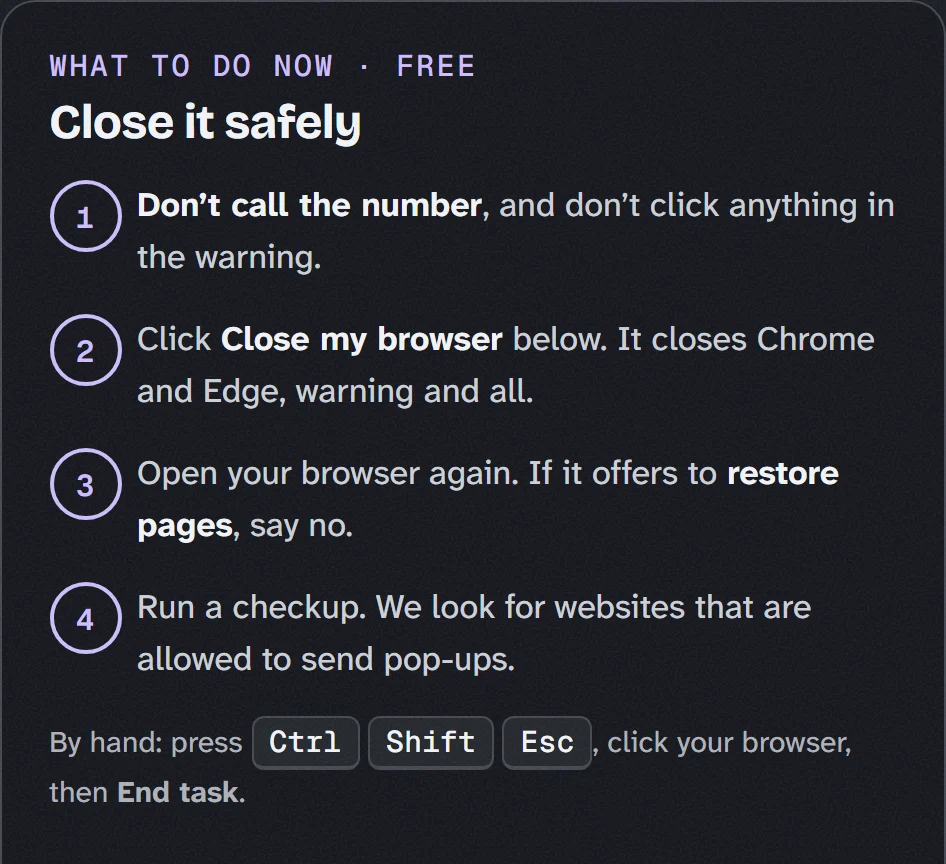
Click the OkayPC icon on your desktop and choose Is this real? It tells you the warning is fake and helps you close it. Real Windows warnings never ask you to call a phone number.
It also helps with scam phone calls (“this is Microsoft”), fake invoices and parcel texts. Free for everyone.
Facing one right now? How to close a fake warning safely, and what to do if you already called.
Look after a family member’s PC from your own.
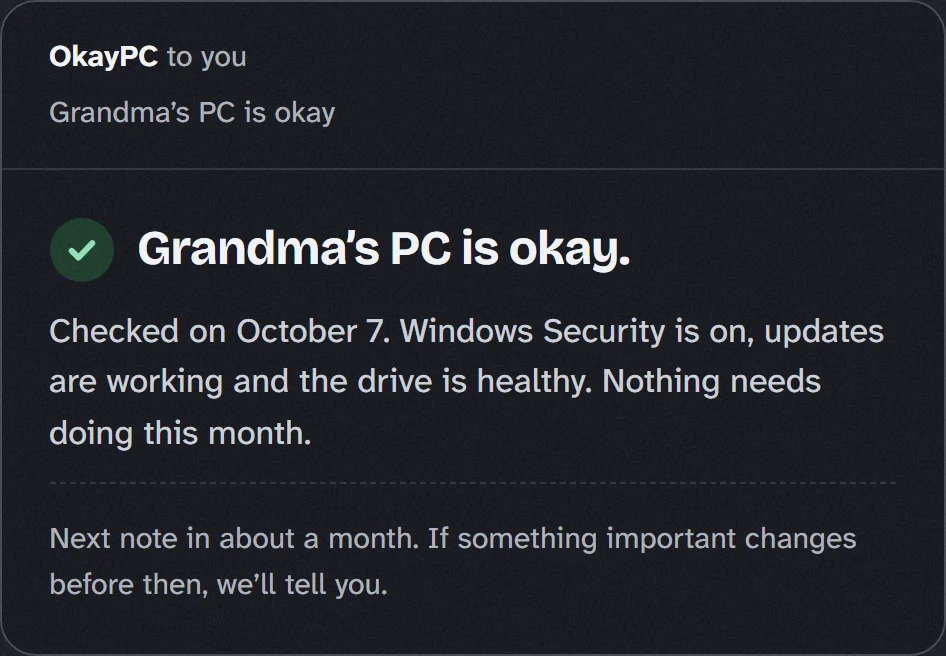
One purchase covers your PC and one family member’s. Each month you get a short note by email, so you know their PC is okay without a phone call that starts with “can you take a look?”
If something important changes, like Windows Security switching off, you hear about it.
Part of OkayPC, $19 once for both PCs. See what it costs
What it costs
The checkup is free, and every finding comes with free steps to fix it yourself. For $19, once, OkayPC fixes things for you and keeps watch. No subscription.
- The full checkup
- Everything we find, in plain words
- Step by step help to fix it yourself
- “Is this real?” for scary warnings
No account needed. If you want Fix it later, you can buy inside the app.
- Everything in Free
- One-click Fix it
- A checkup every month, without you asking
- Alerts when something important changes
- Monthly family emails
- Every future update included
A full refund within 14 days. Your key comes by email, and you enter it in OkayPC.
Want both? Buy OkayPC and your key email has a code for $4.99 off SimplifyPC Plus, so the two cost $29 together.
Works on Windows 10 and Windows 11, 64-bit. A 1.5 MB download. No account needed, and updates are free.
Questions
Something else? Write to [email protected].
- Is it safe?
- Yes. The checkup only reads. Nothing changes on its own, and Fix it shows you exactly what will change and waits for your yes. OkayPC installs from the Microsoft Store and uninstalls from Settings like any other app.
- Will it slow my PC down?
- No. OkayPC doesn’t start with Windows or run in the background. If you turn on checkups and alerts (part of the $19), a short check runs once a day, and you never get more than one alert a day.
- Do I need to replace my antivirus?
- No. OkayPC isn’t an antivirus and doesn’t pretend to be one. Windows Security already does that job well, and OkayPC checks that it’s on.
- What’s the difference between the two download buttons?
- Both get OkayPC from Microsoft. The badge opens OkayPC’s page in the Store, where you click Get. Download free gives you a small installer from Microsoft that sets OkayPC up from the Store without opening the Store app. Either way, there’s no account to make.
- Can I undo a fix?
- Where a fix can be undone, like startup apps, there’s an Undo button. Where it can’t, like removing an app or deleting files, the screen says so before you start, and nothing goes without your tick.
- What happens after I pay?
- Your key comes by email straight away, and the thank-you page shows it too. In OkayPC, open the “...” menu, choose Enter a key, and paste it in. One key works on 2 PCs. If the email doesn’t arrive, Find my key gets it back.
- Can I use it on my mum’s PC?
- Yes. One purchase covers 2 PCs: yours and one family member’s. Put OkayPC on theirs with the same key, and its Family screen can send you a short monthly note about their PC, once you’ve said yes to the first email.
- Does it work on Windows 10?
- Yes. It also tells you whether your PC still gets security updates, and whether it can move to Windows 11, in Windows’ own words. Where Windows 10 stands in 2026.
- What if I want my money back?
- Write to [email protected] within 14 days of buying, for any reason, and you get a full refund.
What OkayPC will never do
We made OkayPC for people like our own parents and grandparents, who use their PC every day and are exactly who scammers go after. A lot of PC apps make money by worrying people. These are the lines we don’t cross.
- No problem countsYou won’t see a count of “issues found”, a health score or a red alarm.
- No invented fixesNo registry cleaning, which Microsoft advises against, and no “memory boost”.
- No pretend antivirusWindows Security already does that well. We check that it’s on and working.
- No hidden free wayEvery finding comes with free steps, whether you pay or not.
- No rushingThere are never countdowns or “act now” offers. Take your time.
- No selling your dataThere are no ads and no tracking. Only what you ask for leaves your PC.
See for yourself. The checkup is free.
Download OkayPC and it tells you what’s fine and what’s worth a look, in plain words. Still on Windows 10? It also tells you whether yours still gets security updates, and whether it can move to Windows 11.
$19 once if you’d like OkayPC to fix things for you, on 2 PCs. A full refund within 14 days.